If you've ever stared at a blank page trying to name your colors, pick fonts, write a positioning statement, and figure out what your logo should even look like, you know how slow brand work is. Most solo founders end up with a Canva logo, three random fonts they like, and no real system. Then six months later, they're rebuilding everything from scratch.
The Brand Kit skill collapses that whole exercise into one conversation. You give Claude a brand name and a paragraph about the vibe. It generates a strategy doc, a full color system, a font pairing, four to six logo variants, social profile pictures and banners, a brand guidelines Word doc, a color and typography PDF, and an HTML preview that ties the whole kit together. The whole flow runs in around ten minutes and costs roughly fifty cents to a dollar in image-generation fees.
This guide walks you through every step. Getting your API key, installing the skill in whichever Claude surface you use, configuring it on first run, generating your first kit using a worked example, iterating on the parts you want to change, and handling the common issues that come up.
What You'll End Up With
Before you spend any time setting this up, here's exactly what comes out the other side of one run. Every brand kit lives in its own folder and contains:
Mission, vision, brand values, voice and tone with do/don't examples, audience persona, positioning statement, tagline plus two alternates, and key messages.
Primary, secondary, accent, five neutrals, full tint and shade ramps of the primary, plus semantic colors for success, warning, error, and info. Around twelve to sixteen colors total.
One heading font and one body font from Google Fonts, downloaded and ready to embed. Both are open source and commercially safe to use without licensing fees.
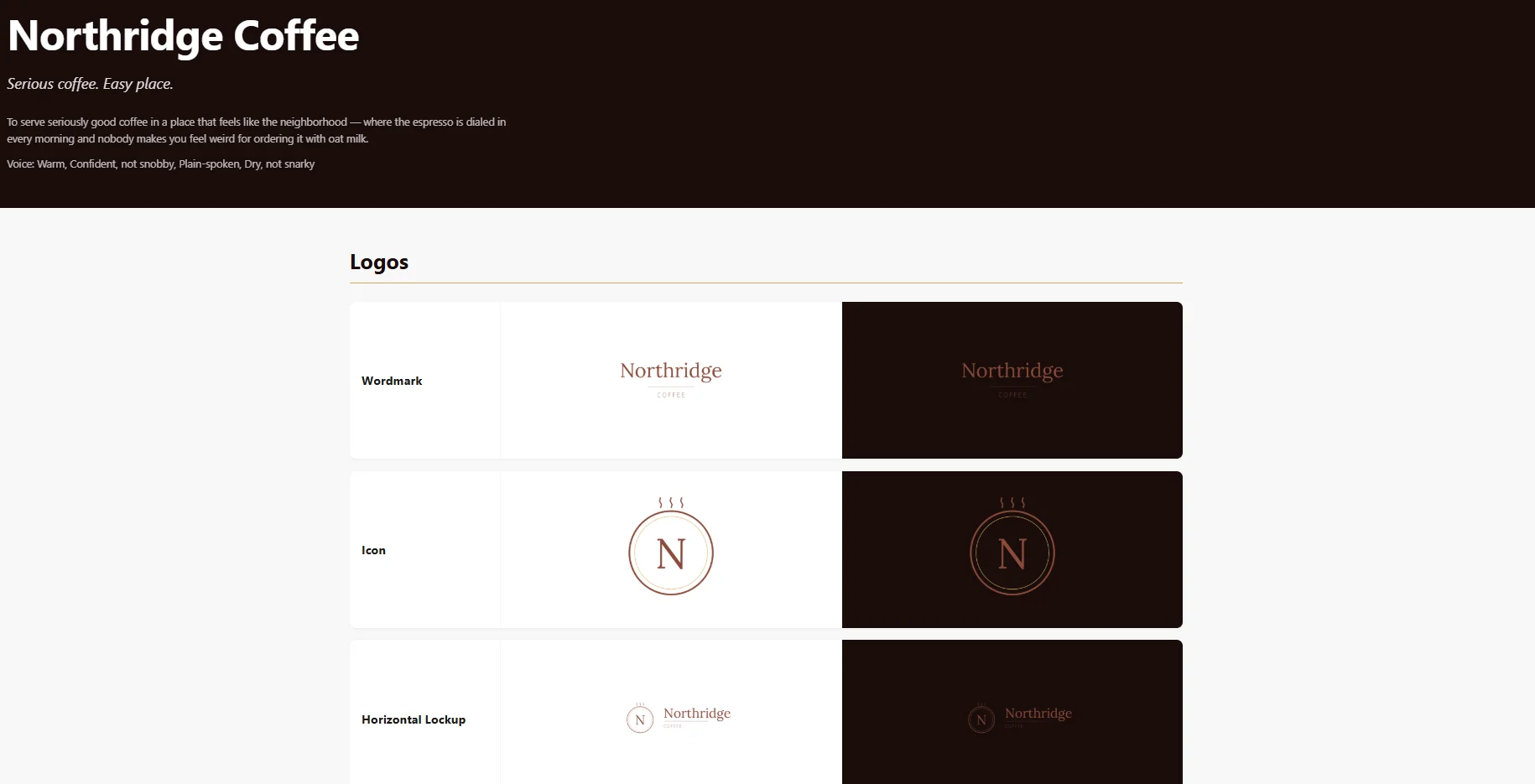
Four to six logos picked to suit your brand. PNG transparent at three sizes, JPG on white for legacy platforms, plus a single-page logo sheet PDF.
Profile picture, X banner, LinkedIn personal and company banners, Instagram square, and any others you ask for. Each one sized exactly to the platform's specs.
A Word doc you can hand to a designer, contractor, or future-you. Plus a color and typography PDF and a self-contained HTML preview of the whole kit.
The end goal: you open one HTML file and see your entire brand on light and dark backgrounds, with links to every other deliverable. Send that preview to anyone you're working with and they have everything they need.
What You Need Before You Start
Three things. None of them take long, but you want them lined up before you open Claude so the setup runs in one sitting.
- A Fal AI account and API key. Fal is the image-generation service the skill calls behind the scenes. It's the only paid dependency. Section 03 walks through the signup.
- A few dollars in your Fal account. Each brand kit runs about fifty cents to a dollar in generation costs. Fal's pay-as-you-go billing means you only pay for what you generate. A five-dollar starting credit gives you room for five to ten kits while you get comfortable.
- The
brand-kit.skillfile. This is the actual skill bundle. You'll either get this from wherever you bought it or generate it yourself if you built the skill. It's a single file that drops straight into Claude.
Pro Tip: The Fal API key is the only thing that varies per user. Everything else about the skill, the prompts, the color math, the doc templates, lives inside the bundle. You set it once and the skill never asks again.
Step 1: Getting Your Fal AI API Key
Fal AI is the image-generation provider the skill uses. It's a hosted service that gives you access to several modern image models, including Recraft v3 for logos, Ideogram v3 for typography-heavy designs, and Flux Pro Ultra for illustrative work. The skill picks the right model for each variant automatically. You don't pick.
The signup takes about three minutes.
- Go to fal.ai. Open the site in your browser. Click Sign up at the top right. You can sign up with Google, GitHub, or email. Google is the fastest.
- Add billing info. Fal works on pay-as-you-go, so you'll be asked to add a card during onboarding or on first key creation. You only get charged for what you actually generate.
- Open the API Keys page. Once you're in the dashboard, find the API Keys section in the sidebar.
- Create a new key. Click Create Key, give it a name like "brand-kit" so you'll remember what it's for, and confirm.
- Copy the key right away. Fal shows the full key only once, immediately after you create it. Copy it to your clipboard now. If you lose it, you'll need to create a new one, which is fine but annoying.
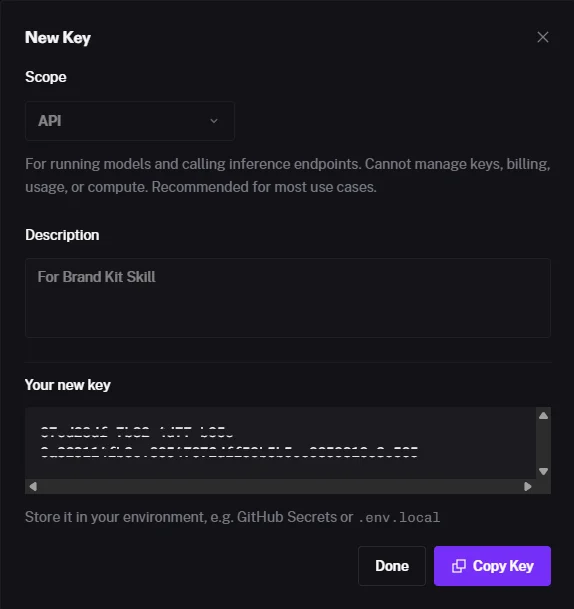
Keep the key private. Treat it like a password. Anyone who has the key can run image generations on your account and rack up charges. The Brand Kit skill stores it locally on your machine and never sends it anywhere except to Fal.
About the costs
The skill uses two Fal models in normal operation:
- Recraft v3 for logo variants. Roughly four cents per image.
- Flux Pro Ultra for social banner artwork. Roughly six cents per image.
A standard kit at default settings runs four to six logos plus five social pieces, which lands at fifty cents to a dollar in total. The skill shows you the estimated cost before each generation step and waits for your approval, so you'll never be surprised by a bill.
Step 2: Installing in Cowork (Claude Desktop App)
Cowork is the workflow mode inside Claude Desktop that lets Claude work with files on your computer. It's where you'll spend most of your time using this skill if you're not a developer. The install takes about thirty seconds.
- Open Claude Desktop. Make sure you're in Cowork mode. You can tell because Cowork shows file access in the side panel and lets Claude write files to a folder you've selected.
- Drag the
brand-kit.skillfile into the chat. Just drag it from your Downloads folder or wherever you saved it directly onto the chat window. A confirmation panel will pop up showing the skill name and description. - Click Save skill. The skill gets registered and is available immediately. You don't need to restart anything.
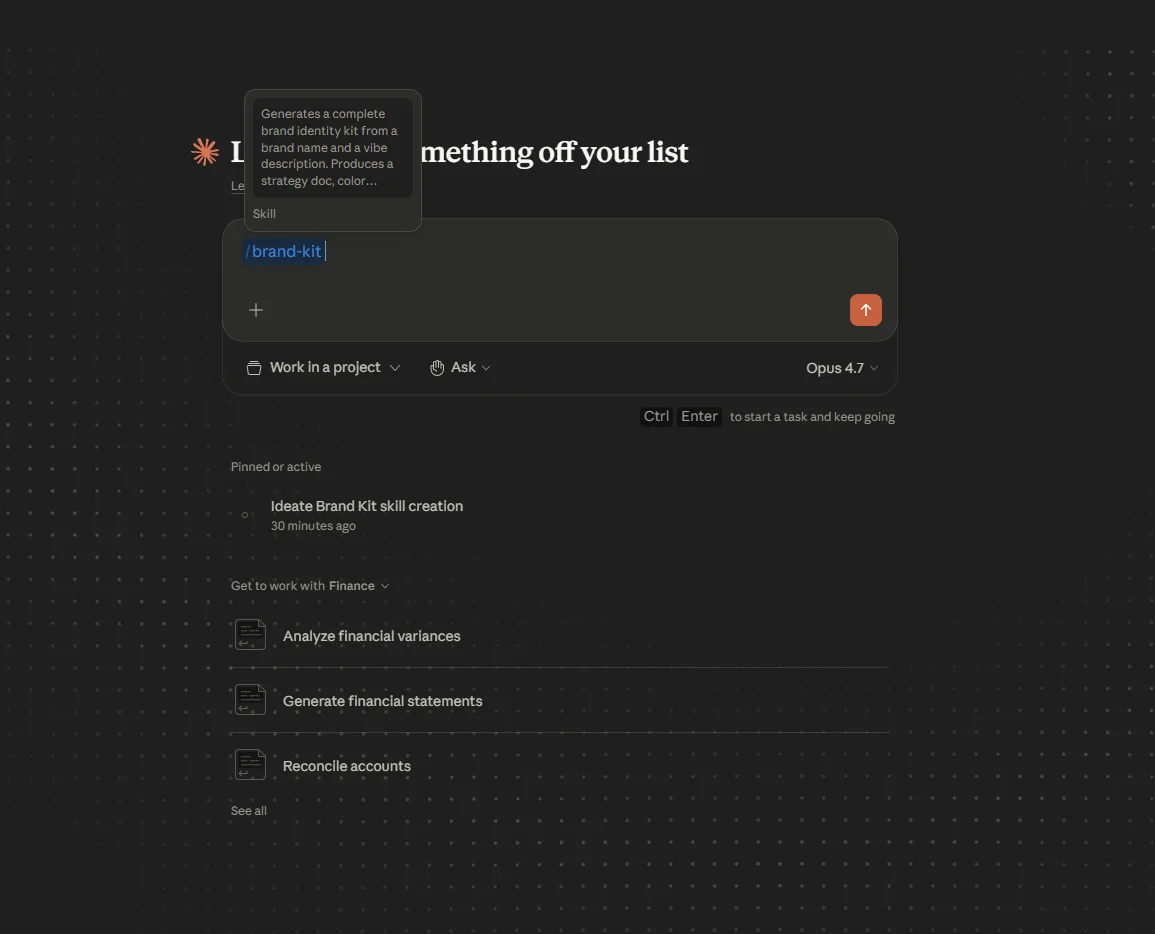
If your version of Claude Desktop doesn't accept the drag-and-drop, there's a fallback. Open the Customize menu (it's in the settings or the side panel depending on your version), find the Skills section, click Upload skill, and pick the file from there.
You'll know it worked when you ask Claude something like "what skills do I have?" and Brand Kit shows up in the list. Or just say "build me a brand kit" and the skill should trigger automatically.
Step 3: Installing in Claude Code (via Claude Desktop App)
If you use Claude Code, the developer-focused mode that runs inside Claude Desktop, the install is slightly different because Claude Code reads skills from a folder rather than a drag-and-drop.
- Rename the file. Change
brand-kit.skilltobrand-kit.zip. A.skillfile is just a renamed zip, so this lets your OS unzip it. - Unzip the file. Double-click on Windows or Mac, or run
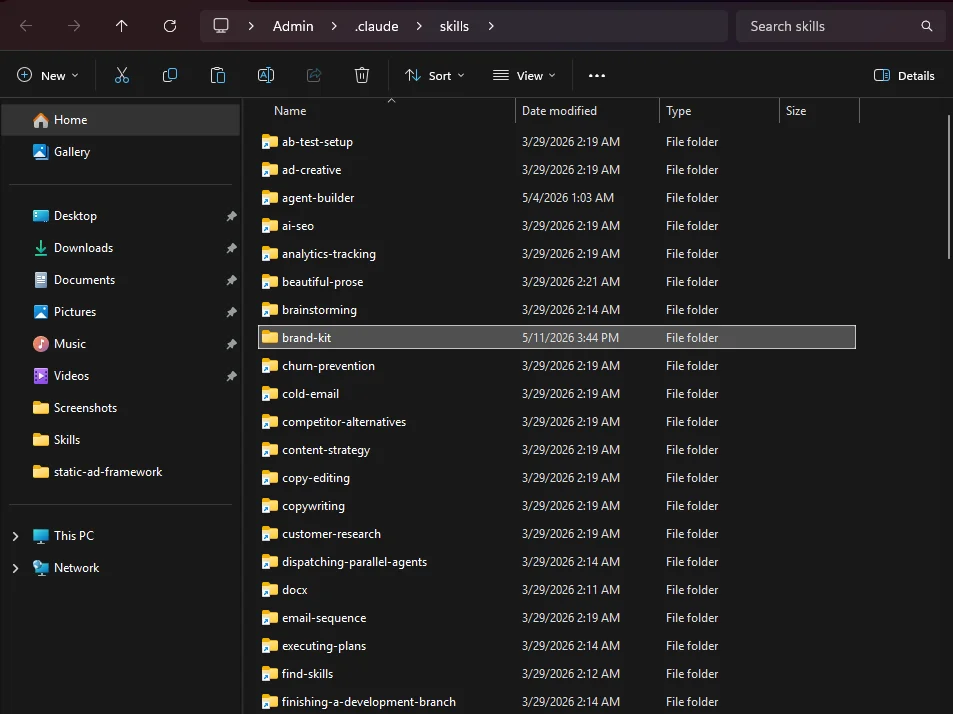
unzip brand-kit.zipin a terminal. You'll get abrand-kit/folder containing the skill. - Move the folder into your Claude Code skills directory. The path depends on whether you want this skill available everywhere or just in one project.
~/.claude/skills/brand-kit/For per-project install:
your-project/.claude/skills/brand-kit/
On Windows, the ~ shorthand expands to your user folder, so the full path is something like C:\Users\YourName\.claude\skills\brand-kit\. If the .claude folder doesn't exist yet, create it.
- Restart Claude Code. Skills are loaded at startup, so you need to quit and relaunch for the new skill to register.
Which mode should you use? If you're not sure whether you want Cowork or Claude Code, pick Cowork. It's the more visual workflow and matches how most non-developers work. Claude Code is the better fit if you're comfortable in a terminal and want to script things.
Step 4: First Run Setup
The first time you trigger the skill, it asks three required questions plus a few optional ones. The whole thing takes about ninety seconds.
The required questions
Open a chat in Claude (Cowork or Claude Code, either works) and say something like:
Claude: Welcome, first time using Brand Kit, so I'll get you set up. The only thing I need from you is a Fal AI API key, that's the image-gen service this skill uses for logos and social art. It costs roughly $0.50 to $1.00 per brand kit, billed directly to your Fal account. Paste your key when you're ready.
- Paste your Fal AI key. The one you copied at the end of Step 1. Claude saves it locally, validates it with a one-cent test image to make sure it works, and confirms back to you showing only the last four characters so the key never gets echoed in full.
- Pick your output folder. This is where your brand kits will land. You can pick a specific folder or let the skill default to a
brand-kits/folder right next to itself. Either is fine. Pick wherever feels easiest to find later. - Choose your default social platforms. The skill suggests a sensible default set (profile pic, X banner, LinkedIn personal, LinkedIn company, Instagram square). You can add Facebook, YouTube, or anything else, or remove any of the defaults.
The optional questions
After the required ones, the skill offers three quick optional questions. You can skip any or all.
| Question | What it does |
|---|---|
| Strategy depth | Full identity package (mission, vision, values, voice, audience, positioning, tagline) or lean essentials. Default is full. |
| Cost confirmation | Whether the skill should show estimated Fal spend before each image-gen step. Default is yes. Helps you avoid surprise charges. |
| Logo style hint | Optional default direction like "minimalist" or "bold and illustrative". Leave blank to let each kit's vibe decide on its own. |
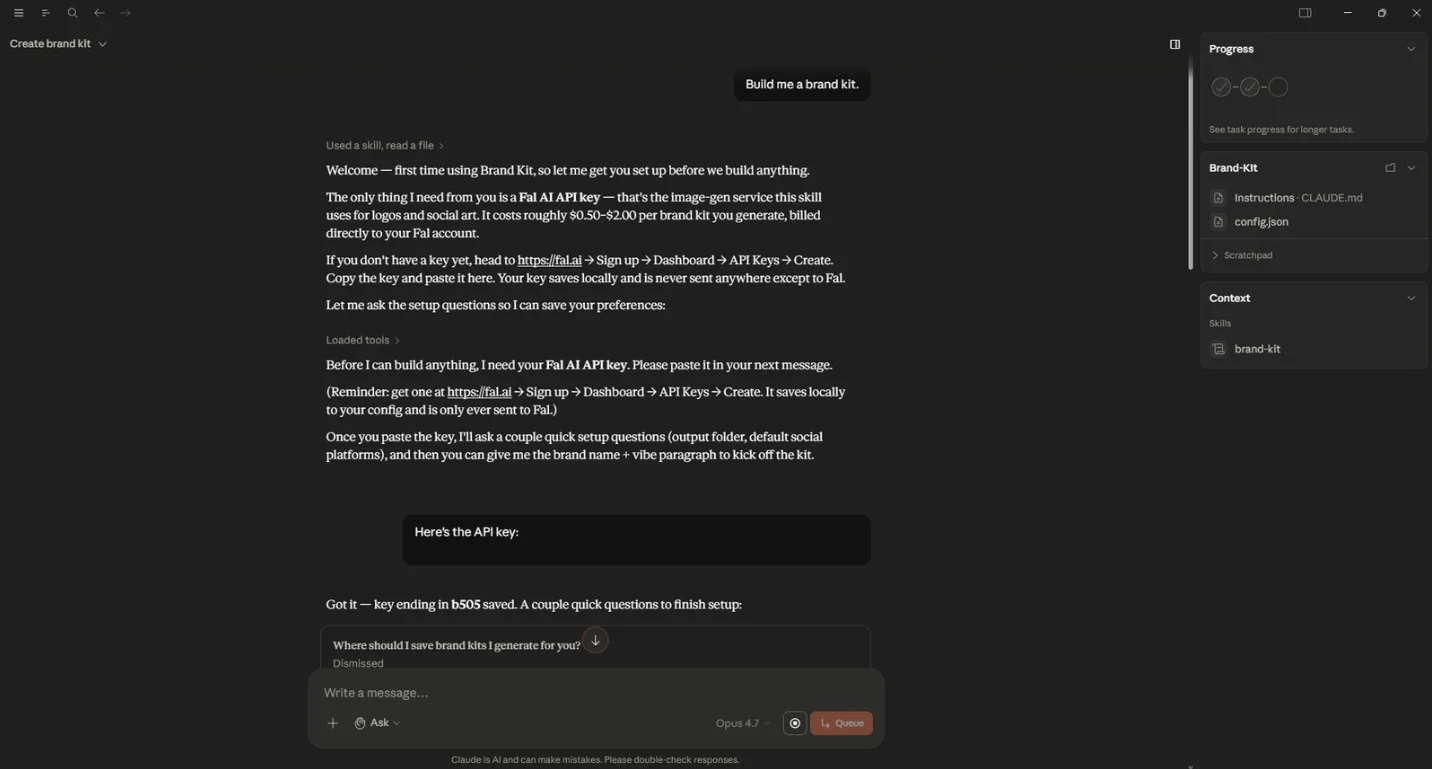
Once you've answered, the skill writes a config.json file next to itself and confirms. You won't see these questions again.
Step 5: Generating Your First Brand Kit
Now the fun part. We'll walk through generating a complete kit for a fictional brand called Northridge Coffee, a small specialty coffee shop. You can copy this exact prompt to see how the skill handles a real-world brief.
The prompt
That's a paragraph any small business owner could write about their own business. No design jargon, no positioning theory, just the actual vibe. The skill takes it from there.
What happens next
The skill walks through the pipeline with checkpoints so you can adjust at each step. You'll see:
- A brief echo and one or two follow-up questions. The vibe paragraph above is rich, so the skill might only ask a single clarifying question, like which competitors you'd specifically not want to feel like. Answer in one sentence, then it locks the brief.
- The strategy. A full identity package, mission, voice, audience persona, positioning, tagline plus two alternates, and key messages. Around two to three pages of readable text plus the underlying
strategy.jsonfile. The skill stops here and asks if it lands. If anything sounds off, just say so and it'll edit. - The visual system. Once you approve the strategy, the skill generates the color palette and picks a Google Fonts pairing. You'll see the primary, secondary, and accent colors with hex codes, the chosen heading and body fonts with rationale, and another checkpoint asking if it looks right.
- A cost preview before the logos. The skill tells you the estimated Fal spend (somewhere around twenty to thirty cents for the logo variants) and waits for your approval before calling the API.
- The logos. Four to six variants generated and saved as PNG transparent in three sizes, plus JPG on white, plus a single-page logo sheet PDF.
- Another cost preview before the social assets, then the social pack generated and composited at exact platform dimensions.
- Final delivery. The brand guidelines Word doc, the color and typography PDF, and the
index.htmlpreview, all assembled automatically. The skill links you toindex.htmland you open it to see everything in one view.
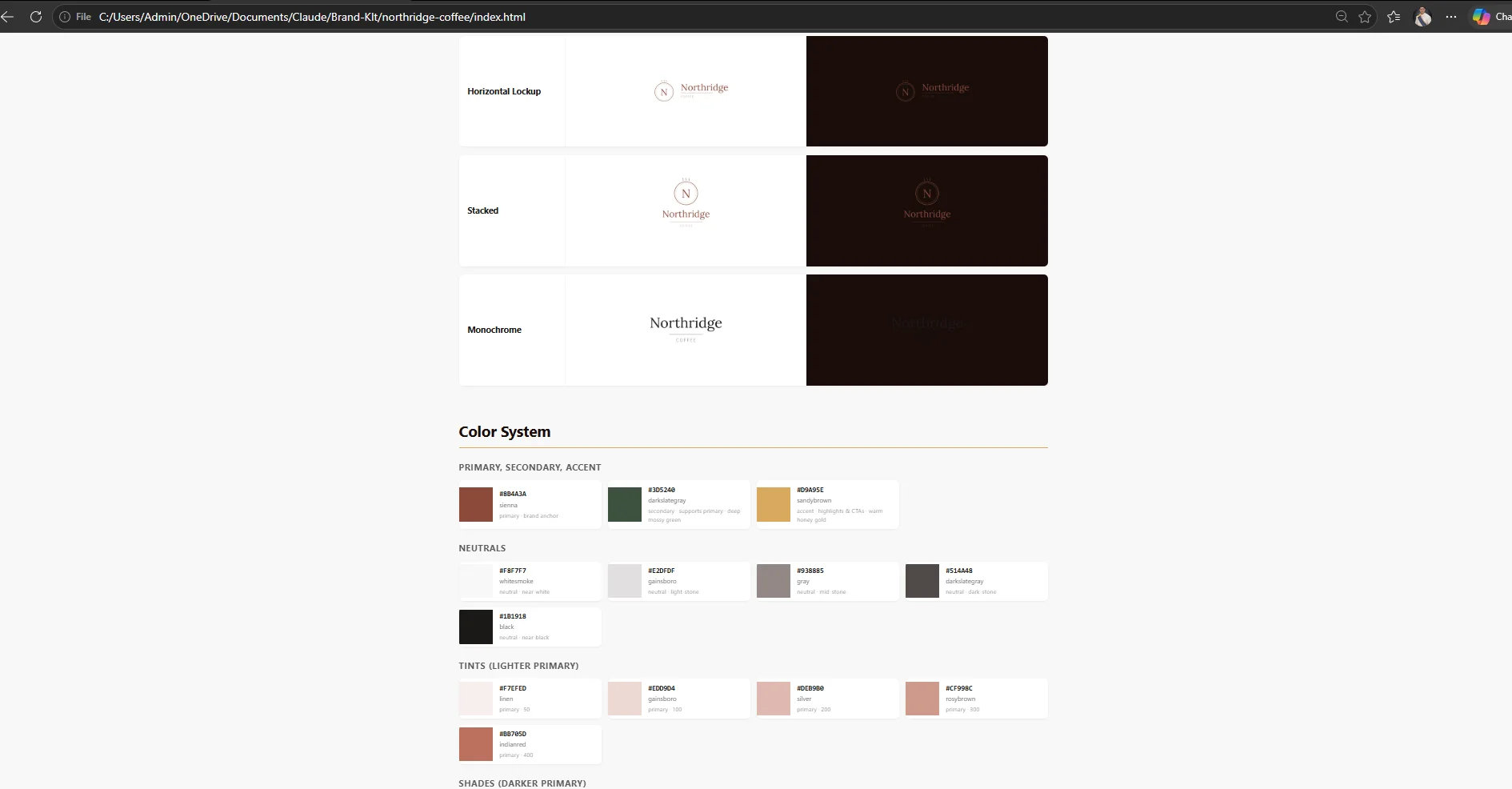
The first kit is the slowest. Around ten to twelve minutes end to end if you read every checkpoint carefully. Once you've done it once and trust the defaults, subsequent kits run in five to seven minutes because you just say "looks good" at each step.
Step 6: Iterating on the Kit
The first version is rarely the final version. The skill is built around named regeneration commands so you can fix specific pieces without redoing the whole kit. Just say what you want changed in plain English.
| What you say | What runs | Approximate cost |
|---|---|---|
| "Regenerate logos with a more illustrative direction" | Logos only, with your feedback baked into the prompts | $0.20 to $0.30 |
| "Try a warmer palette" | Palette only, plus rebuilt PDF and HTML preview | $0 (no image gen) |
| "Redo the X banner with a darker background" | One social asset only | $0.06 |
| "Switch to a serif heading font" | Font pairing only, plus rebuilt docs | $0 (font is re-downloaded) |
| "Add a YouTube banner" | One new social asset | $0.06 |
| "Change the tagline to X" | Edits strategy.json, rebuilds guidelines doc | $0 (no API call) |
The important thing is that regenerations preserve everything you didn't ask to change. If you say "try a warmer palette," the strategy and fonts stay locked in. The skill doesn't redo your work just because you asked for a different color.
Be specific with logo regeneration feedback. "Make the logo better" doesn't help the model. "More illustrative, less corporate, with a hand-drawn feel" gives it something to work with. The more specific your direction, the less likely you'll burn another twenty cents on a regen that misses.
How to decide what to iterate on
Open the index.html preview and look at the whole kit in context. Common things people change after seeing the first version:
- The palette feels too cool or too warm for the vibe
- The logo style direction is off (too minimal, too illustrative)
- The tagline lands awkwardly
- The heading font is too editorial or too geometric for the audience
If you find yourself wanting to change the strategy itself, that's worth pausing for. The strategy drives everything downstream, so a change there means the palette and logos were built on a brief that's now wrong. Better to nail the strategy at Checkpoint 1 than to rebuild after the fact.
Troubleshooting Common Issues
Most things that can go wrong are recoverable in one or two steps. Here are the issues users hit most often.
"Fal API call fails with 401 or 403"
Your key is invalid, expired, or revoked. Say "change my fal key" and paste a fresh one from your Fal dashboard. If the new key also fails, check that your Fal account has billing set up and isn't past its spend cap.
"My logo looks generic"
The vibe paragraph and your mood words determine how distinctive the logo feels. "Modern" alone produces generic outputs because every brand wants to feel modern. Add one or two more specific words about how this brand should feel different from competitors. Then say "regenerate logos" with the new direction.
"The color palette feels off"
Two common causes. Either your mood words contradict each other (like "playful and somber") or your industry signals are unclear. Surface the contradiction yourself if you can spot it, pick a direction, and say "try a [warmer/cooler/more muted/brighter] palette". Palette regen is free, so iterate as much as you want here.
"The docx or PDF won't open"
Usually means the file didn't finish writing. Check the file size, anything over 10KB usually means it completed. If it's corrupted, just say "rebuild the docs" and the skill regenerates them. Idempotent and safe to rerun.
"The index.html looks broken"
The preview page expects sibling folders (logos/, social/, docs/) to exist next to it. If you moved the folder around or deleted something, those references break. The fix is either to put the missing folders back or to rerun the relevant generation step. The HTML itself is self-contained with no external dependencies, so it should always work as long as the sibling folders are in place.
"Fal call is taking a long time"
Image generation usually completes in 10 to 30 seconds per image. If you're waiting longer than two minutes for a single image, something's wrong with the request. Cancel, wait 30 seconds for any rate limit to clear, and retry. If multiple retries fail, switch to a different time of day, Fal's load varies.
What to Try Next
Once you've run one kit and seen the output, the value compounds quickly. A few things worth doing in your first week:
- Generate a brand kit for a side project you've been putting off. The kits are cheap enough ($0.50 to $1.00) that it's worth doing one for any business idea you'd want to pressure-test visually. Sometimes seeing the brand makes the idea feel real or makes you realize it's not for you.
- Generate three or four directions for a single brand by changing the vibe paragraph each time. "Calm and premium" vs "playful and bold" produces wildly different kits. Side by side, you'll see which direction your gut actually wants.
- Open the brand guidelines docx in Word. The full strategy, voice examples, color usage, and do's and don'ts are written out so you can hand the file to a contractor, freelancer, or future designer. That's the deliverable most small business owners never have, and it's the difference between a brand that holds together and one that drifts.
- Hand the index.html file to your developer or web designer. Everything they need (hex codes, font names, logo files at multiple sizes) is in one place. No more emailing five attachments and answering questions for a week.
The skill is built to be used over and over, not once. The more brand kits you generate, the better your eye gets for what works in your industry and what doesn't. And every iteration costs a fraction of what a junior designer would charge for a single Canva mockup.
One last thing. If you're stuck on the vibe paragraph, write three sentences as if you're describing the brand to a friend at a dinner party. Forget that you're briefing AI. The skill is good at picking up natural language and bad at parsing design jargon, so plain English actually outperforms clever positioning theory.
That's it. Run your first kit, iterate on whatever feels off, and within a week you'll have a brand foundation that most small businesses don't get without paying an agency. Go build something.