What's in this folder
Four things. The skills themselves, the connector setup, and this readme in two formats.
skills/
The twelve skills. Each is its own folder with a SKILL.md file and a references folder holding the detailed material that gets read on demand.
.mcp.json
The connector setup. Lists the six optional tools this pack can use and the categories it recommends.
README.txt
The plain text version of this page, for reading anywhere.
README.html
This page. Open it in any browser.
Totals: 12 skills, 46 reference files, roughly 60,000 words.
Note: .mcp.json starts with a dot, so your operating system may treat it as a hidden file. If you can't see it in the folder, turn on hidden files in your file browser.
What it actually does
Most tools help you find clients and make content. Almost nothing helps you actually deliver, which is where reputations are made, referrals come from, and solo operators most often look amateur without meaning to.
Every skill produces a finished thing you can send. Not tips, not a framework. The actual proposal, the actual email, the actual scope document.
The test: if you can't paste the output straight to a client, the skill hasn't done its job.
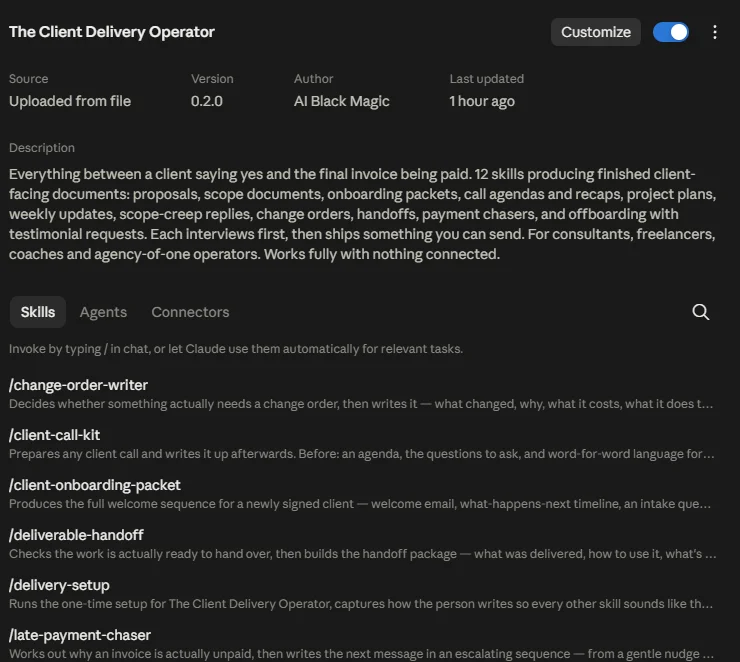
The twelve skills
Listed in the order a project usually runs.
A two minute setup so everything else comes out in your voice, at your prices, on your terms. Also creates your client tracker. Part of it asks you to paste in one email you have actually sent a client. That's the bit that makes everything else sound like you rather than like a template.
The full proposal, the covering email, and the follow up sequence. Tells you first whether a proposal is even the right next move.
The scope document: what's in, what's explicitly out, what you need from the client, revision limits, and what counts as a change. Flags which deliverables are likely to lose you money before it writes anything.
Welcome email, timeline, intake questionnaire, access checklist, working norms, and the chase sequence that gets the client to actually do their bit.
Agendas, questions, and word for word language for kickoffs, review calls, difficult conversations, and renewal chats. Plus the recap email afterwards.
Phases, milestones, review gates, and honest buffer. Gives you a straight answer on whether the plan actually fits the date you promised.
The status email, shaped to the kind of week it actually was, including the weeks where nothing happened or something went wrong.
Judges whether a request is out of scope, shows what you've already absorbed on this project, then writes the reply and the follow up for when the client pushes back.
The formal change order, priced properly, including the awkward case where you've already done the work.
The handover pack: what you delivered, how to use it, what's covered, what to do first. Plus access closeout and the support window note nobody sends.
Works out why an invoice is actually unpaid, then writes the right message. Includes a phone script, replies for every excuse, and the fix that stops it recurring.
Results recap, a testimonial request that produces usable quotes, a referral ask, and a re engagement note for later. Calibrated to how the project actually went.
The background agent
Alongside the twelve skills, the plugin ships one background agent called client radar. It runs a weekly sweep of your client tracker and tells you what needs attention before it becomes a problem.
Gone quiet
Clients you haven't spoken to in too long, measured against the rhythm that project is supposed to run on.
Milestones slipping
Anything overdue, blocked, or due within five days that hasn't started yet.
Invoices past due
Every unpaid invoice past its date, with how late it is and which reminder to send next.
Dates coming up
Support windows closing, re engagement notes due, change orders still waiting on approval.
It reads your tracker and nothing else, so it needs no connectors at all. It never changes anything either. It reads, reports, and leaves the deciding to you.
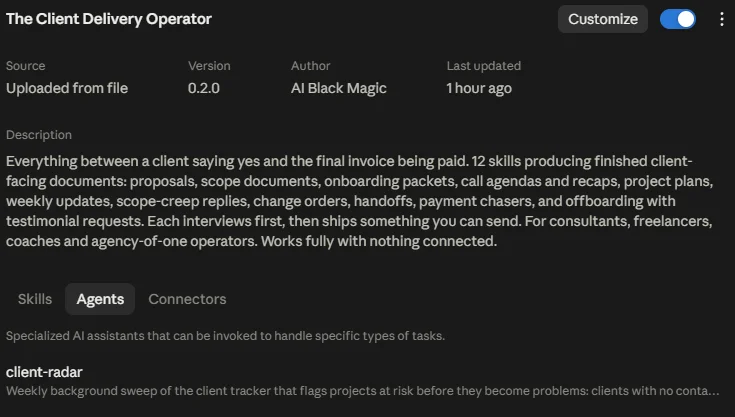
Where it lives: the agent is bundled inside the installable plugin file rather than this folder, which holds the skills and connector setup only.
How to start
Say "set up client delivery" and answer a few questions. About two minutes, and you only do it once.
After that, describe what you need in your own words. You don't need to remember skill names.
Describe the situation, not the skill. The right one picks up on its own.
Connectors, all optional
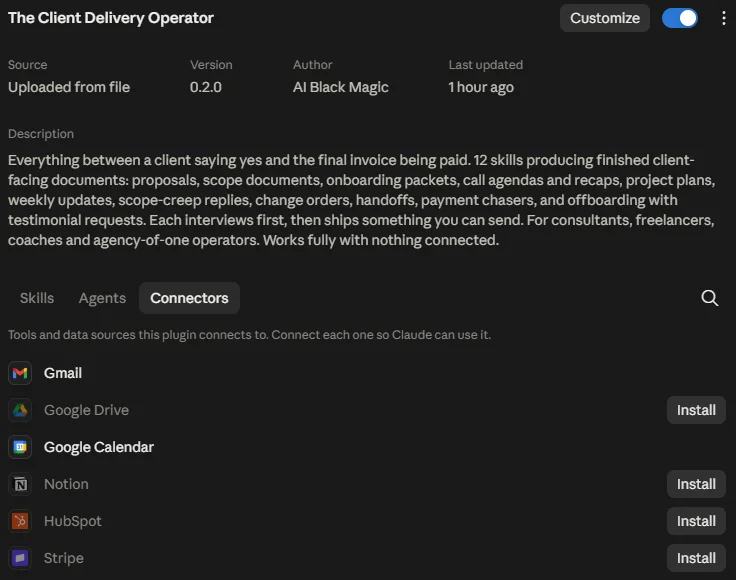
Every skill works completely with nothing connected. Connections only save you steps. They never unlock anything. With nothing connected you still get every proposal, every email, and every document in the chat and as a file you can save.
| Connect | What it saves you |
|---|---|
| Gmail | Emails open as ready drafts instead of copy and paste |
| Google Drive | Client documents file themselves into the right folder |
| Google Calendar | Kickoff calls, milestone dates, and check ins on your calendar |
| Notion | Your client tracker mirrors into your workspace |
| HubSpot | Pulls client details from your CRM so you type less |
| Stripe | Checks an invoice really is unpaid before a reminder goes out |
Recommended categories, as listed in .mcp.json: email, calendar, documents, wiki-knowledge-base, crm.
Not sure? Connect nothing to begin with. Add one later if you find yourself copying the same thing repeatedly.
How the skills work together
Each skill feeds the next, so you're not retyping the same client details all day.
Your client tracker sits underneath all of it, filling itself in as you work. That's what lets the weekly update know your milestones, the scope creep skill know what you've already absorbed, and the whole chain avoid asking you the same thing twice.
A few things worth knowing
It asks before it writes
Every skill runs a short set of questions first, usually three to six, so what comes out is about your actual client rather than a template. It will never invent a client name, a price, a date, or a result. If it needs a number it doesn't have, it asks you.
Several skills will tell you something you didn't ask
The scope builder flags deliverables likely to lose you money before writing the document. The proposal writer tells you when a proposal isn't the right next move. The project planner tells you plainly when your honest plan doesn't fit the date you promised, while there's still time to do something about it.
That's deliberate, and you can always overrule it. Say so once and it writes what you asked for.
Your setup drives everything
Your voice, prices, payment terms, revision policy, currency, and who your clients are. Change any of it any time by saying "update my setup".
The awkward ones ask how you want to play it
Scope creep, late payment, and offboarding all ask how firm you want to be and how much the relationship matters, then write accordingly. Each also gives you the follow up for when the client pushes back.
On the legal side. The scope documents, change orders, and payment notices here are commercial business documents, not legal advice. They're written to be clear and fair rather than enforceable in any particular jurisdiction. It's worth having a lawyer in your own country look over your standard terms once. Then you can reuse them with confidence for years.
Who this is for
Independent consultants, freelancers, coaches, advisors, and anyone running a studio or agency on their own or with a very small team.
No technical setup required. If you can answer questions about your own business, you can use all of it.