The problem stopped being availability
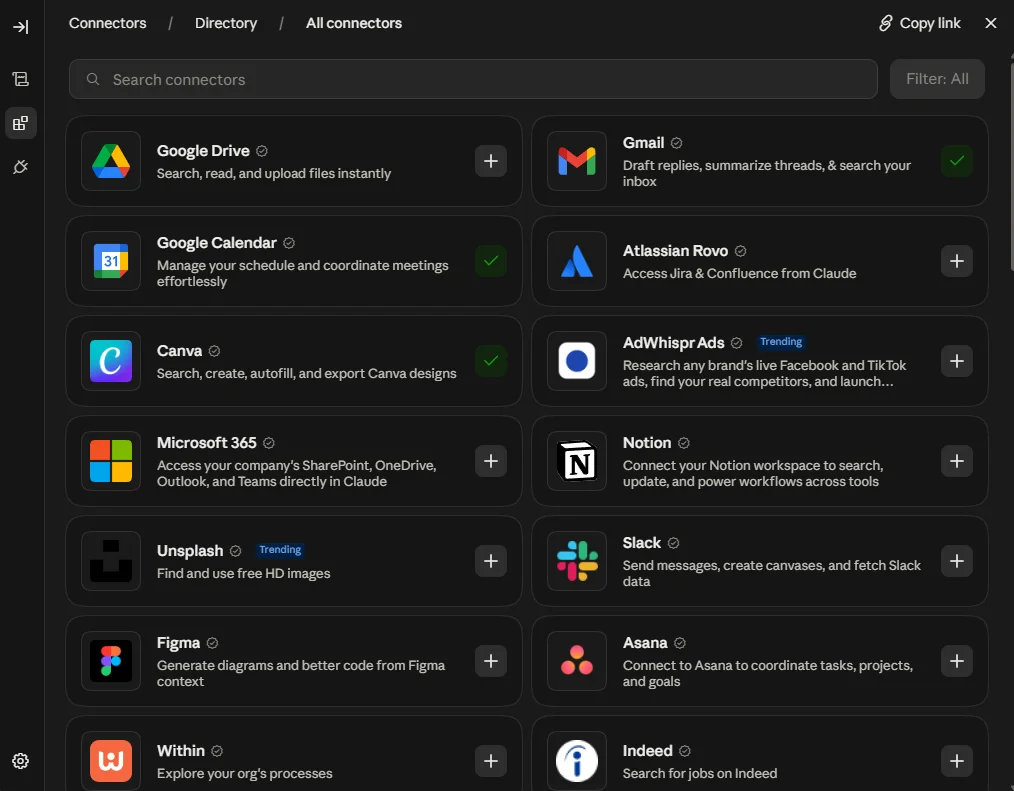
Two years ago the question was whether Claude could reach your tools at all. That question is dead. Depending on who's counting and what they count, Claude's connector directory holds somewhere between 369 and 439 integrations across as many as 30 categories, and one well-regarded guide from June puts the number of polished, one-click directory apps at closer to 50. Those numbers disagree because they're measuring different things: the curated directory, the full browsable list including third-party servers, and the subset that's genuinely one click.
The disagreement is the point. Anthropic doesn't publish a headline number at all, so every figure you'll see quoted is somebody else's count of somebody else's list. Nobody can tell you exactly how many connectors exist. What everyone agrees on is that there are far more than you need, and no obvious way to tell which ones matter for you.
So users do one of two things. They connect nothing, and Claude stays a very good writing assistant that knows nothing about their business. Or they connect everything, and Claude becomes slower, vaguer, and weirdly bad at choosing the right tool. Both feel like the platform's fault. Neither is.
Here's the reframe that fixes it. Stop asking which connectors are good. Start asking what shape a working setup has. Because every genuinely useful Claude workflow, in any business, has the same shape, and once you can see it you can build your own stack in an afternoon.
Every working setup is the same four links
Watch someone use Claude well and you'll see four moves, always in the same order. Raw material comes in from somewhere. Something applies judgment to it. Something builds the artifact. The artifact lands where it has to land to count as done.
Now the diagnosis. Go look at your own connector list. Most users have four or five things plugged into the Source link, nothing at all in Judgment, and nothing in Land.
That's why their AI work dies in a chat window. They can ask Claude anything about their business and get a smart answer, and then they copy the answer out by hand, paste it somewhere, and reformat it. The chain has a beginning and no end.
The fastest audit you can run: open your connector settings and sort what you've connected into the four links. If Land is empty, that's your next connector. Not another Source.
The Judgment link is the one nobody connects
A connector moves data. That's its whole job, and it's an honest job. The Shopify connector can hand Claude your entire product catalog in a second. It has no opinion whatsoever about whether your product descriptions are any good.
That gap is where most disappointment with AI tools actually comes from. Users connect their data, ask for something, and get a competent, generic answer. The data was there. The judgment wasn't.
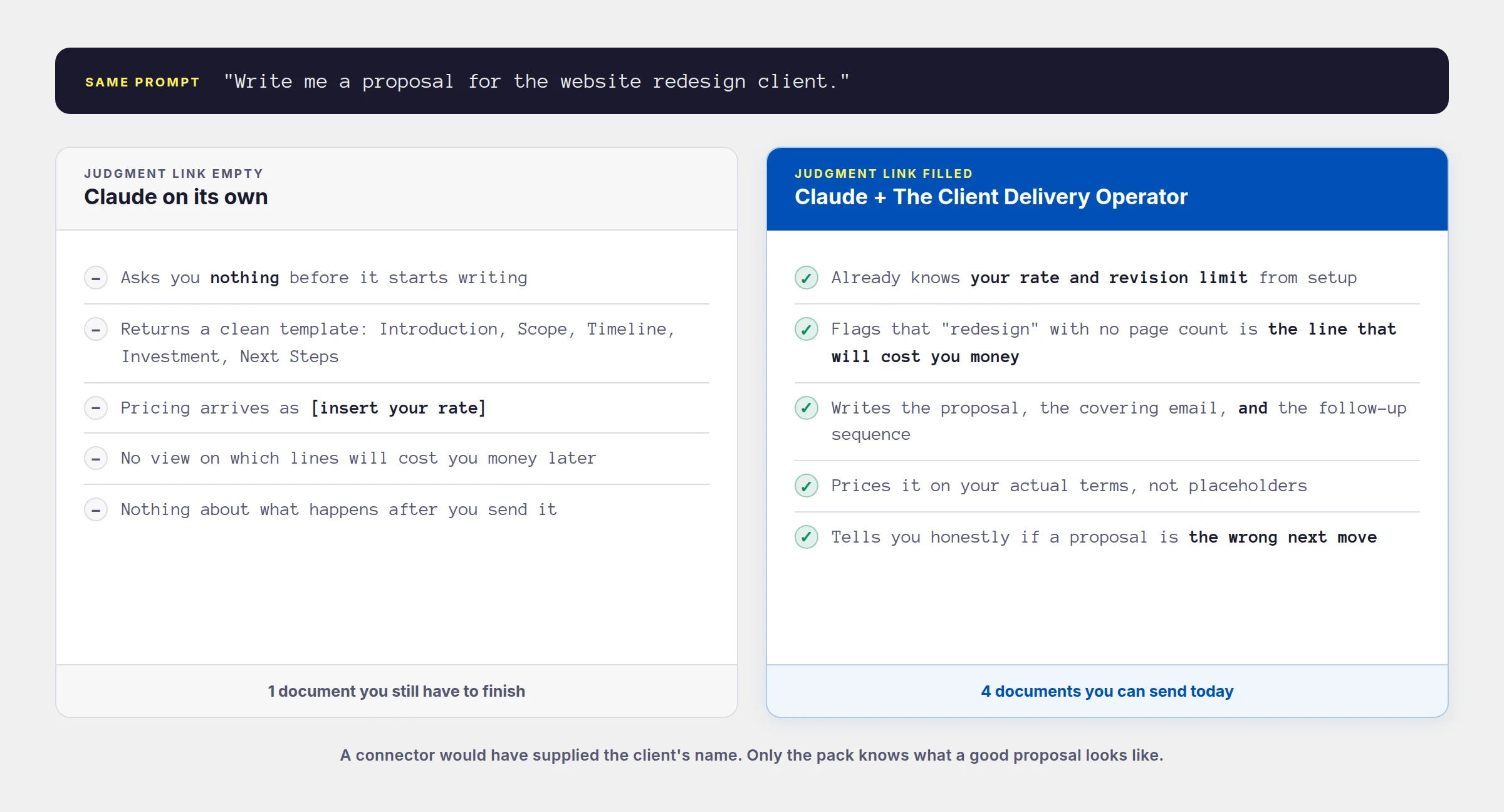
Judgment is what a skill pack supplies. A skill is a folder of instructions that gives Claude a specific way of working: what to ask before it writes, what a good version of this document looks like, what the common mistakes are, what to refuse to do. A plugin bundles a set of related skills together, along with the connectors they expect and any background agents that come with them.
The difference in output is not subtle. Ask Claude cold for a client proposal and you get a competent template. Ask through a delivery-focused skill pack and it asks about your rates first, warns you which parts of the scope are likely to cost you money, writes the proposal, writes the covering email, writes the follow-up sequence, and tells you honestly if a proposal is even the right next move.
Where skills and plugins actually run
This matters more than it looks, because the answer differs by surface and by plan. Here's the current position.
| What | Plans | Where it runs |
|---|---|---|
| Skills | Free, Pro, Max, Team, Enterprise | Web, desktop, Claude Code, Cowork, and the Microsoft 365 add-ins |
| Plugins | All paid plans | Web chat, desktop chat, and Cowork |
| Directory connectors | All plans | Web, desktop, mobile, Claude Code, Cowork |
| Custom connectors | All plans, but Free is capped at one | Same, added by pasting an MCP server URL |
| Sub-agents and hooks | Paid plans | Cowork only. They appear greyed out in chat. |
The line that catches people out is the last one. A plugin's skills work everywhere, but the background agents bundled with it only run in Cowork. If a pack advertises a weekly sweep that flags your overdue invoices, you get that sweep on demand in chat and automatically in Cowork. Same intelligence, different trigger.
Worth knowing: Cowork is now available on every paid plan, not just Team and Enterprise. On desktop it's on all paid plans, and on web and mobile it covers Pro, Max, and Team. If you dismissed it as an enterprise feature last year, that's out of date.
Why more connectors makes Claude worse
This is the part nobody selling you an AI course wants to say. Every connector you enable costs something, and the cost is paid out of the same budget that holds your actual conversation.
When a connector is active, the descriptions of everything it can do get loaded so Claude knows what's available. A single connector might expose twenty or thirty separate actions, each with its own description. Connect eight of them and a meaningful slice of the working memory is spent before you've typed a word.
One engineering team measured this in a development setup and found that three fairly standard integrations consumed over 20 percent of the available context before the assistant started working. That was a code-heavy setup, which is heavier than most business chat, so treat it as an illustration rather than a law. The direction is what matters.
The symptoms are the frustrating kind, because nothing visibly breaks. Instructions get ignored. Answers drift generic. Claude reaches for the wrong tool, or asks you something it should already know. It feels like the model got worse. It didn't. It got crowded.
Anthropic ships a setting for exactly this. Once you pass roughly ten active connectors, you can switch how they load from Auto to On demand, which stops everything loading at the start of every conversation. That setting existing at all is a quiet admission that connector count has a cost.
The four-connector rule
One connector per link. Four total. When you want a fifth, it replaces one rather than joining the set.
This sounds arbitrary and isn't. It's just the observation that a workflow with two Sources usually means you haven't decided where your real data lives, and a workflow with two Lands usually means you haven't decided what finished looks like. The constraint forces the decision.
You'll break it eventually, and that's fine. A seller running two storefronts genuinely needs two Sources. But break it deliberately, after the four-link version works, not by accident on your first afternoon of enthusiasm.
Read or write decides what a connector can be
Here's the single most useful thing to know before you connect anything, and almost nobody says it out loud: most connectors are read-only.
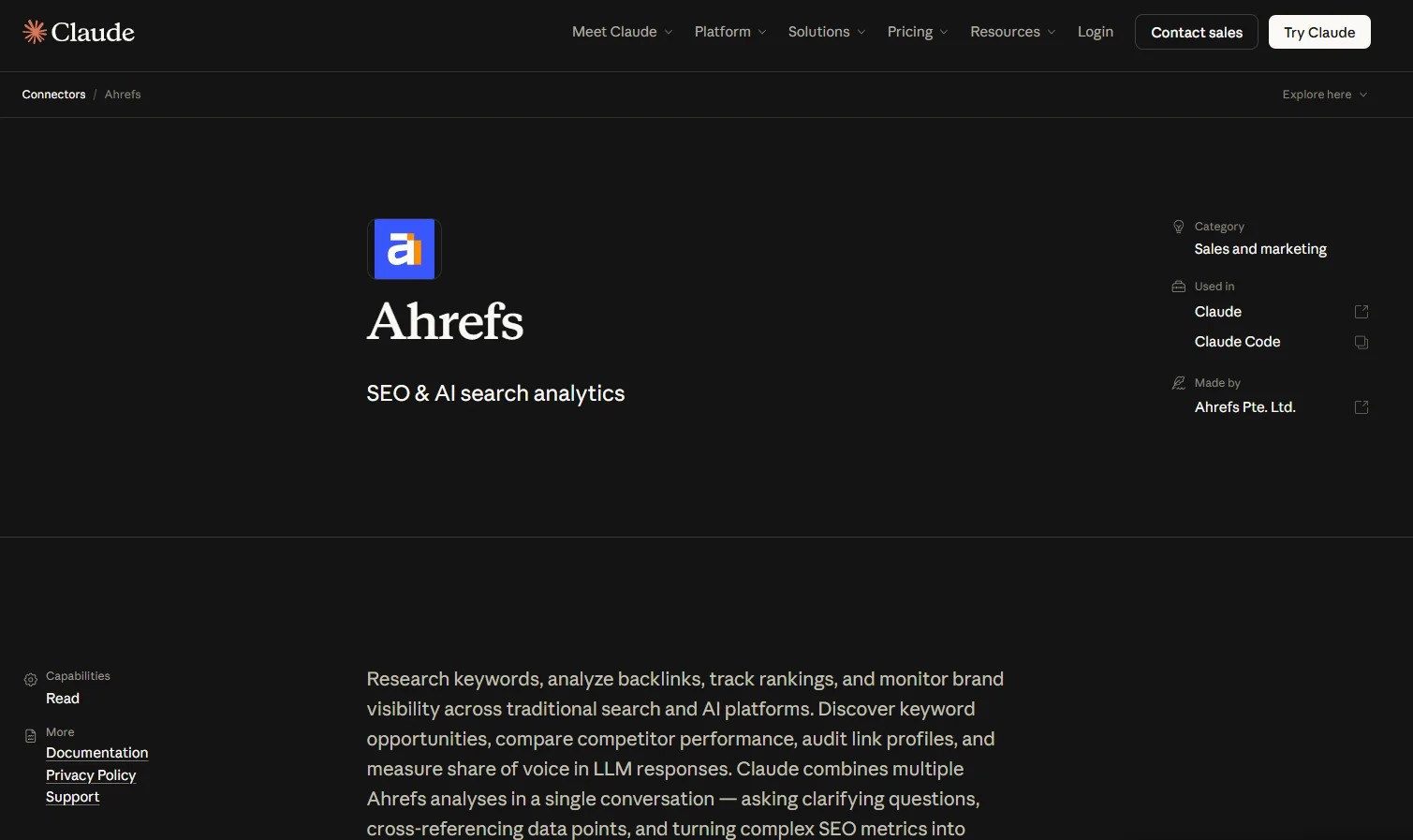
Ahrefs exposes 61 tools through Claude and every one of them reads. Semrush has 14, all read. Helium 10 has 34, all read, and its own documentation is explicit that it cannot place a bid, pause a campaign, or edit a listing. Triple Whale states plainly that it cannot mutate your business data, ad accounts, campaigns, or budgets. None of that is a flaw. Reading is what those tools are for.
But it settles where each one can sit in your chain. A Source can be read-only. A Land cannot. If the only connectors you have are read-only, you don't have a chain, you have a very well-informed conversation that still ends with you copying text into another window.
Check this before you connect anything. Open the connector's page in the directory and read its tool names. If they all start with get, list, search, or analyze, it's a Source. If you see create, send, update, or publish, it can be a Land.
They don't fire on their own
A connector is not an automation. It does nothing until you start a conversation and ask. Buffer's official server, released in May 2026, is a good example: Claude can list your channels, see your queue, draft posts, and schedule them. What it cannot do is watch anything or react to an event. Buffer's own documentation is clear that the server only works inside a conversation you start. Gorgias says the same about its helpdesk connector: it will answer a ticket when you ask, and it will never notice one arriving.
If you want something to happen at 7am on Monday whether or not you're at your desk, a connector alone won't do it. That's what Cowork's scheduled tasks and background agents are for, and it's the strongest practical reason to care which surface you're working on.
Most writes land as drafts, but check which
Kajabi's server, included on every Kajabi plan at no extra cost, can build pages, write emails, and set up offers. Kajabi's marketing page says every write action lands as a draft. Kajabi's own technical documentation says otherwise, and the documentation is right: creating a page, course, or email does produce a draft, but community posts, direct messages, pinned announcements, navigation links, and theme edits all take effect immediately. On theme content the docs state it flatly, that changes take effect on published pages and there is no draft layer.
Mailchimp goes the other way and will draft a campaign but refuses to send it, so a human has to press the button. Typeform's connector will publish a form live and its documentation warns you to check it first. There's no universal rule here. Read the two paragraphs of documentation before you let a connector write anything.
The connectors that aren't what their name says
This section will save you more time than any other. A connector's name tells you which company built it. It does not tell you what it does, and in several cases the gap is wide enough to waste an afternoon.
The name says SMS. The connector has two tools, and both of them search Twilio's own API documentation. It never touches your account. If you want Claude to send a real text from your real business number, the connector that actually does it is Quo, formerly OpenPhone, which exposes send-message alongside call transcripts and contacts.
Both are in the directory and both look like obvious wins for a local operator. They're search and discovery tools for people hiring a plumber. Neither lets a plumber manage a listing, see their leads, or reply to anything.
Birdeye sells reputation management. Its connector has around 30 tools and all of them read: reviews, listings, sentiment, competitors. Useful for understanding where you stand, useless for doing anything about it. Also worth knowing that birdeye.com and birdeye.so are different companies, and the second one is a crypto data platform that also ships a connector.
Sellers know Yotpo for reviews, loyalty, and SMS. The connector is for Yotpo Discover, a separate product that tracks whether AI answer engines cite your brand. It cannot respond to a review or touch your loyalty program.
HeyGen is known worldwide for talking-head AI video. This connector renders motion graphics and animated slides from HTML and CSS. It's genuinely good at that. It is not what anyone searching for HeyGen expects to find.
Intuit's own is mostly reporting: profit and loss, cash flow, benchmarking. A separate free third-party one called Meridian exposes 63 tools with full create and update access across invoices, bills, customers, vendors, and expenses. Same brand on the box, very different machine inside.
In August 2026, HoneyBook, Pipedrive, and Bonsai all published announcements describing live Claude connectors. Searching the directory by name returns nothing for any of the three. The announcements may be early, or the rollout may be partial. Either way, the lesson generalizes: check Settings, then Connectors, and search the name yourself before you plan a workflow around a headline.
The flip side is better news. The directory goes far deeper into specific trades than most people expect. There is a connector for a roofing CRM. Search your own trade by name before you assume the tools you use every day aren't there.
Five stacks you can copy today
Each stack fills all four links with tools built for that trade, names the pack that supplies the judgment, and lists the specific skills the chain runs through. Find your row, then read that one card.
The content creator
The chain
The connectors, precisely
- SparkToro ReadsAudience research. Tells you what your audience actually reads, watches, and follows, across sites, podcasts, YouTube, and subreddits. The only tool here built for the question a creator asks every week. Custom connector.
- Canva Writes33 tools. Generates and edits real designs in your account, then exports. It does not post them anywhere.
- Metricool WritesSchedules to 11 organic networks, reads analytics back, tracks competitors. Works on the free tier, capped at 30 days of data and 20 scheduled posts a month. Custom connector.
- Worth adding laterAhrefs for its brand-radar tools, which track whether AI answer engines are citing you. That is the most 2026 thing in the entire directory. OpusClip if you make long video: it cuts clips, burns captions, and reframes to 9:16. Paid plan only.
The weekly job, step by step
- SparkToro tells you what your audience is actually consuming this month
- content-pillar-builder turns that into pillars grounded in real audience behavior, not guesswork
- content-month-architect maps thirty days against those pillars
- hook-lab writes ten opening variants for the five posts that matter most
- visual-prompt-director briefs the graphics, and Canva builds them
- Metricool schedules week one and reports back how last month's posts did
The skill pack
The local service business
The chain
The connectors, precisely
- Local Falcon Writes37 tools. Runs geo-grid rank scans that show where you appear on the map from different points in your service area, manages tracking campaigns, and watches your business profile for unauthorized changes. The single most on-the-nose connector for a local operator. Needs the Basic plan, around $50 a month.
- Quo WritesFormerly OpenPhone. Sends real texts from your real business number, reads call transcripts, manages contacts. This is the connector that closes the loop a local business actually runs on. From $19 per user a month, no free tier.
- Canva WritesProfile photos sized correctly, referral cards, seasonal promo graphics.
- Worth adding laterMeridian for QuickBooks, which is free and has 63 tools including invoice and expense creation. Or Square if that's your payment rail, though its connector is a raw API pass-through rather than a curated tool set.
The weekly job, step by step
- Local Falcon runs a scan and shows where you rank on the map grid across your service area
- google-profile-optimizer reads the result and tells you which profile fields are costing you position
- review-request-engine writes one request per customer who finished this week, pitched to how that job went
- Quo sends them as texts from your business number, which is where they actually get read
- review-reply-writer handles the week's new reviews, and you paste those into your profile yourself
The skill pack
The consultant or freelancer
The chain
The connectors, precisely
- Fathom ReadsMeeting intelligence. Hands Claude the full transcript of a client call, not just a summary, plus search across every meeting you've had. A consultant's raw material is what was said on calls, which makes this the most natural Source in this whole article.
- PandaDoc WritesBuilds a document straight from markdown and sends it for signature. Free tier allows five signatures a month; unlimited sending from about $19 a month.
- Harvest WritesStarts and stops timers, logs time, creates clients and projects, drafts invoices. The connector that turns work into money owed. Custom connector.
- Pick one notetaker, not threeGrain, Fireflies, tldv, Fellow, and Granola all have connectors and all hand over transcripts. Granola gates transcripts behind a paid plan, so its free tier gives you summaries only. The second notetaker adds nothing but tool clutter.
The weekly job, step by step
- Fathom supplies the full transcript of every client call you had this week
- weekly-client-update writes the right email for the kind of week it was, quoting what was actually agreed on the call
- scope-creep-defender catches the request buried at minute 34 that nobody wrote down and nobody priced
- PandaDoc turns the resulting change order into a document and sends it for signature
- Harvest logs the hours discussed and drafts the invoice
The skill pack
The e-commerce seller
The chain
The connectors, precisely
- Shopify Writes25 tools with real create and update access to products, orders, customers, discounts, and inventory. The spine of this stack and the deepest official commerce connector that exists.
- Klaviyo Writes27 tools including campaign creation and template assignment, plus flow performance and metrics. Where most solo-seller revenue per hour comes from.
- Triple Whale ReadsThe sharpest read on whether your ad spend is working. Read-only by design, which is a feature. Needs the Foundation plan or above. Custom connector. Windsor.ai is the honest budget alternative with a real free tier.
- Worth adding laterGorgias for support replies and macros, currently in beta. Shippo to compare live carrier rates and buy labels. Helium 10 if you sell on Amazon, though it's read-only and needs their Diamond tier at around $279 a month.
The morning job, step by step
- Shopify gives yesterday's revenue, orders, and stock levels
- Triple Whale says whether the spend behind those orders actually paid for itself
- daily-store-digest tells you the two or three things that need attention, not the numbers you can already see
- inventory-forecaster flags the SKUs about to stock out, and supplier-negotiation-assistant drafts the reorder email
- email-flow-architect fixes the flow that's underperforming, straight into Klaviyo
The skill pack
The course creator
The chain
The connectors, precisely
- Riverside WritesOver 50 tools. Searches your recording archive by transcript, creates new edit versions without touching originals, cuts clips, and schedules to social. Needs the Grow plan or above, and the feature is still in beta. Descript is the alternative if you're refining footage you already have rather than recording fresh.
- Gamma Writes18 tools. Turns a lesson outline into a real deck, plus image generation and viewer analytics. Works on the free plan, no API key needed.
- Kajabi WritesCourses, offers, landing pages, emails, blog posts. Free on every Kajabi plan. Creates land as drafts, but community posts, DMs, announcements, navbar and theme edits go live immediately. Custom connector.
- If you're not on KajabiThinkific has an official server but it is read-only and needs their Plus plan. Teachable's is experimental, waitlisted, and runs locally. Skool has nothing official, and the community projects work by extracting your session cookie, which risks your account. Don't.
The module build, step by step
- Riverside searches your recording archive and finds the twelve minutes where you already explained this concept well
- curriculum-architect has already fixed what this module must make the student able to do
- lesson-scripter writes to that outcome rather than to a word count
- slide-deck-builder produces the structure, and Gamma generates the actual deck
- workbook-and-worksheet-maker produces the companion worksheet
- course-sales-page-writer drafts the page, and Kajabi builds it as a draft you review before it goes live
The skill pack
Build your own stack in twenty minutes
None of those five is your business exactly. That's fine, because the method is the transferable part, and it runs backwards from the way most people approach it.
Don't start with the directory. Start with the deliverable you resent making.
1. Name the job. Pick one thing you make every week that you'd pay someone else to do. Not a category. The actual artifact: the Friday client update, the Monday store check, the eight captions.
2. Ask what it's made of. What do you have to go and look at before you can write it? That's your Source, and there's usually only one that matters. Connect that.
3. Ask where it has to end up. Not where you'd like it, where it has to be before the job is done. Inbox, queue, tracker, platform. That's your Land. Check its tool list writes before you count on it.
4. Ask whether it needs building. If the artifact is a deck or a graphic, you need a Make link. If it's text, you don't. Plenty of good stacks are three links.
5. Fill Judgment last, and on purpose. Find the pack that covers this trade. If none exists, write the standard down yourself: what you'd tell a new hire about what good looks like here, in a page, saved where Claude can read it.
6. Run the job once, end to end. Not a test. The real one, this week. Whatever breaks is your next connector.
Step six is the one people skip, and skipping it is why so many carefully built setups get abandoned. You cannot tell whether a stack works by looking at it. You find out on the Friday when you're tired and you'd rather not.
The honest test for any connector: does it remove a copy and paste you're currently doing by hand? If yes, connect it. If you can only describe the benefit in general terms, leave it in the directory.
What to do this week
Open your connector settings and count what's there. Sort each one into Source, Judgment, Make, or Land. Most users find three or four Sources, an empty Land, and a couple of things they connected months ago out of curiosity and have never used once.
Turn off everything you can't attach to a job you actually do. This will feel like losing capability. It isn't. Every connector you remove gives Claude back room to think about the ones you kept.
Then fill the empty link. If it's Land, that's a fifteen-minute fix and the largest single improvement available to you, because it's the difference between advice and finished work. Check the tool list writes before you commit. If the empty link is Judgment, install the pack that covers your trade and run one job through it.
The users getting real work out of Claude right now are not the ones with the most connectors. In most cases they have noticeably fewer than the people struggling. What they have is four that form a chain, and a clear idea of which weekly job that chain exists to kill.
Pick your job. Build the four links. Run it once this Friday.